AgentDocks Turns AI Image and Video Generation Into Repeatable Workflows
AgentDocks lets you generate AI images and videos, save the steps as a workflow, and run it again across products or schedules.
Oct 13, 20268 min read
On this page
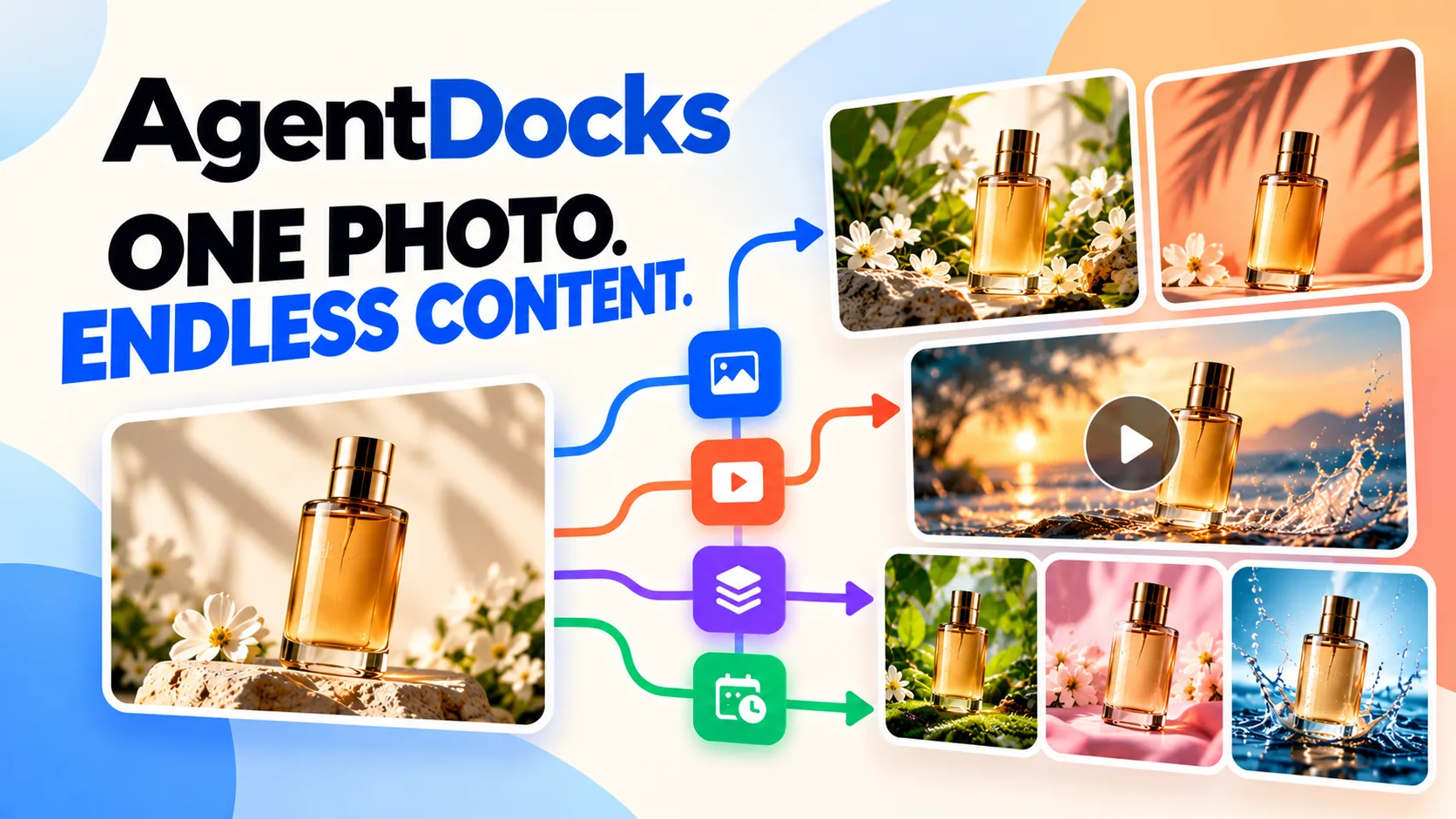
Most AI image tools give you one result at a time. You write a prompt, get an image, then do it all again for the next product. AgentDocks is built for the opposite case. You get a good result once, save the steps, and run them again on new products, on a schedule, or across a whole batch of images.
The company calls it an AI visual production platform for creators, brands and teams. Here is what it does, who it suits, and what each plan includes.
What AgentDocks does
AgentDocks gives you two ways to work, and both are included on every plan.
Create Studio is the simple option. You write a prompt, upload an image, add references and choose a format. Then you pick a model, set the aspect ratio, the number of outputs and the quality, and generate. You can preview the results, compare options, download the files or run it again. You don't have to build anything.
The Node Editor is a canvas where you connect models, tools, logic and outputs into one workflow. Once the workflow works, you can run the whole chain again instead of repeating each step by hand.
On top of these, there is a library of ready-made templates for product photos and videos. The site says templates need no prompt writing and no model setup. You choose a template, add your product, and get results ready to post.
The Node Editor
The canvas is where AgentDocks differs from a plain prompt box. Nodes fall into four groups:
- Input: image, video, text and file upload
- Generative: image generate, video generate, upscale and color correct
- Logic and flow: batch run, condition, loop and merge
- Output and triggers: image preview, video preview, export, webhook and schedule
You wire these together on the canvas. A typical product flow takes a product photo, sends it to an image model with a prompt, cleans up the color and passes the result to a preview or export node.
According to the docs, you can run one node, a selection of nodes, or every generative node on the canvas. Each node checks its own settings before it starts. If a prompt, image or connection is missing, the node tells you why, and the run does not begin. The Run button shows the credit cost for the current model, options and number of variants, so you know what a run will cost before you press it.
Two details are useful when you are spending credits:
- Data wires do not start the next node on their own. You connect a separate trigger output when one step should start another, so changing an input does not spend credits by accident.
- AgentDocks holds the estimated credits when a run is accepted and only charges for completed results. Failed, stopped, timed-out or skipped work releases the hold. There is a Stop All Runs control in the top bar, and nodes that had not started give their held credits back.
Automation and batch runs
The automation page lists four ways to run a workflow once it is built.
- Trigger Run. A Run node turns the workflow into a one-click job. You see the total credit cost up front, and every connected step runs in order.
- Schedules. A workflow can run at a time or frequency you choose. The trigger follows your time zone, shows upcoming and past runs, and pauses after repeated failures so it doesn't waste credits.
- Telegram. You connect a bot, pair a chat and send text or images straight into the workflow. A command starts the run, and a Telegram Send node can return the results to the same chat with progress updates. Nobody needs to open the editor.
- Batch Run. One workflow runs across a set of images. With the Image Bulk node you can process up to 50 images through the same workflow and watch each result come in. You can stop partway through without losing finished work.
Batch runs are the main dividing line between plans. They are included on Pro and higher and are not included on Free or Basic.
Models
All plans, including Free, give access to all the image and video models on the platform. The models page lists these families:
- Image: Nano Banana (Google), Seedream (ByteDance), GPT Image, FLUX.2 (Black Forest Labs), MiniMax Image and Runway Gen-4 Image
- Video: Kling (Kuaishou), Seedance (ByteDance), Gemini Omni (Google), WAN (Alibaba), Runway Gen-4.5, FLUX 3 Video (Black Forest Labs) and MiniMax H3
The pricing page shows roughly how many generations each plan's credits buy with specific models. Its examples include Nano Banana 2, Nano Banana Pro, GPT Image 2.5, GPT Image 2, Seedream 4.5, FLUX.2 Pro and Runway Gen-4 Image for images, and Kling 3.0, Kling 3.0 Turbo, Veo 3.1, Seedance 2.5, Sora 2 and Runway Gen-4.5 for video.
Costs vary a lot between models. On the Basic plan, for example, 1,000 credits buy about 66 Nano Banana Pro images or about 500 GPT Image 2.5 images. On video they buy about 22 Kling 3.0 clips (720p, 5 seconds) or about 2 Veo 3.1 clips (720p, 8 seconds).
Templates
Templates are sorted by industry. The site shows Beauty & Skincare, Fashion & Apparel and Food & Beverages, plus a product photography category. Examples on the homepage include Product Hero, Snack Range, Beauty Still, Menu Hero, Floral Still and Campaign Look.
Every plan can run and customize templates. Cloning Pro workflow templates is included from Basic upward.
Who it is for
The site has solution pages for beauty, fashion, food, FMCG, freelancers and agencies. From what the product does, it fits best if you:
- sell physical products and need many consistent product shots
- run a catalog where the same style has to apply to dozens of items
- turn product stills into short promotional videos
- make content for clients and want to reuse a process that already works
If you only need an occasional image, Create Studio covers that. But the real value is in saving and repeating a workflow.
Pricing
Prices are in US dollars and exclude VAT and sales tax, which are added at checkout where they apply. Annual billing saves 10%.
| Plan | Price | Credits | Storage | Concurrent generations | Notable inclusions |
|---|---|---|---|---|---|
| Free | $0 | 40 one-time | 2 GB | 1 | Create Studio, Node Editor, all models, color correction, run any template, community support |
| Basic | $19/month | 1,000 per month | 50 GB | 2 | Everything in Free, monthly credits, clone Pro workflow templates, standard support |
| Pro | $49/month | 4,000 per month | 200 GB | 4 | Everything in Basic, batch runs, MCP and connectors (coming soon), early access to new tools |
| Ultimate | $99/month | 9,000 per month | 500 GB | 8 | Everything in Pro, team collaboration (coming soon), first access to new production tools |
| Business | $149/month | 14,000 per month | 1 TB to 4 TB | 16 | Everything in Ultimate, chat support, one 1-on-1 workflow session per month, custom workflows built with the AgentDocks team |
| Enterprise | Custom | Custom | Custom | Custom | Custom credit volume and billing, dedicated onboarding and support |
A few credit rules from the pricing page and the terms:
- The 40 free credits are a one-time grant and do not expire. The pricing page says they are enough for about 2 Nano Banana Pro images and not enough for a Kling 3 or Seedance 2.5 clip.
- Subscription credits last for one billing period and do not roll over.
- Top-ups are 1,000 credits for $20, on top of any paid plan. They expire 6 months after purchase and are used after your monthly credits.
- Credits are only taken when a generation completes. A generation that fails because of a service error is not charged.
- Refunds are available within 7 days of a payment if none of the credits from that payment have been used.
Should you try it?
The free plan is a fair way to test the tools. You get Create Studio, the Node Editor, every model and every template, though 40 credits only go a short way. It is enough to build a small workflow and see if the output fits your brand. It is not enough to test video.
If the results work for you, Basic at $19 a month is the entry point for regular image work. Pro at $49 is the plan to look at if you have a catalog, because that is where batch runs start. Ultimate and Business add more credits, storage, parallel generations and, on Business, direct help from the team building your workflows.
Some features are still marked as coming soon, including MCP and connectors and team collaboration. If your team relies on those, check the pricing page before you choose a plan.
You can start free at agentdocks.com.
Launch your product on IndieNeed
Free to submit, hand-reviewed, and you pick the launch day.
Submit a product